The other day I was helping a friend find off-campus housing for her second year at the University of Ottawa.
Like most students, she had a checklist.
Close to campus.
Within budget.
Utilities included.
And, of course… Wi-Fi.
Listing after listing proudly advertised “High-Speed Wi-Fi Included!” It seemed to be one of the biggest selling features.
After seeing it over and over again, I stopped and asked myself a simple question.
How many students actually know what that means?
That question quickly turned into a conversation, and it made me realize something.
Today’s generation has grown up surrounded by technology. Smartphones, tablets, laptops, gaming consoles, smart TVs… they’ve never known a world without them. They can install apps, stream movies, join video calls, and connect just about anything to Wi-Fi without giving it a second thought.
But ask how that Wi-Fi gets to their phone…
Or what they’re actually connecting to…
And many have no idea.
That’s not meant as a criticism.
Nobody ever taught them.
Technology has become so easy to use that we’ve stopped explaining how it works.
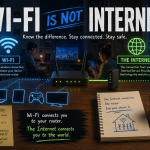
Wi-Fi Isn’t the Internet
This is probably the biggest misconception I run into.
People often use the terms Wi-Fi and Internet as if they’re the same thing.
They’re not.
The Internet is the service coming into the building from your Internet Service Provider (Bell, Rogers, TekSavvy, etc.).
Wi-Fi is simply the wireless connection between your device and your router.
Think of it like this.
The Internet is the road leading to your house.
Your modem is the front door.
Your router directs everyone where they need to go.
Wi-Fi is just the hallway connecting your phone or laptop to that router.
No Internet connection?
Your Wi-Fi network can still exist… it just won’t take you anywhere.
So What Does “Wi-Fi Included” Really Mean?
This is where my IT brain started asking questions.
When a landlord advertises Wi-Fi Included, are they paying for a separate Internet connection for every tenant?
Probably not.
In most cases there’s a single Internet connection coming into the house.
One modem.
One router.
Everyone connects to it.
There’s nothing wrong with that. In fact, it’s exactly how most homes work.
But when you move into a shared house with five or six other people, you’re no longer the only one using it.
You’re Sharing More Than You Think
Imagine it’s seven o’clock on a Tuesday night.
One roommate is watching Netflix.
Someone else is downloading the latest Call of Duty update.
Another is on a Zoom class.
Someone’s uploading photos to the cloud.
Another is gaming online.
Everyone is using the same Internet connection.
Think of it like traffic on the Queensway.
The more cars you add, the slower things move.
That’s why your “high-speed fibre Internet” can sometimes feel anything but fast.
It’s Not Just the Internet You’re Sharing
Here’s the part that made me stop and think.
If everyone in the house is connected to the same Wi-Fi network, there’s a good chance they’re also connected to the same local network.
That doesn’t automatically mean people can see what’s on your computer.
Modern versions of Windows, macOS, Android, and iPhones are much more secure than they were years ago.
But…
You’re still trusting everyone on that network.
If someone has an infected computer…
If they’ve disabled security features…
If they’re running outdated software…
Or if the network hasn’t been configured properly…
There are risks.
Most people never think about that because all they see is a Wi-Fi password.
Public Wi-Fi Isn’t Much Different
The same idea applies at coffee shops, hotels, airports, and restaurants.
Yes, they’re convenient.
Yes, we’ve all used them.
But remember…
You’re sharing those networks with complete strangers.
If you’re checking your bank account, logging into work, or accessing anything sensitive, using a trusted VPN is never a bad idea.
It’s one more layer of protection between your device and everyone else on that network.
Questions Worth Asking
If you’re renting a room and the listing says “Wi-Fi Included,” don’t be afraid to ask a few questions.
- How many people share the Internet connection?
- Is there a separate Wi-Fi network for each apartment or floor?
- Who do I contact if the Internet goes down?
- Is the connection fibre, cable, or DSL?
- Can I plug directly into the router if I need a faster connection?
Most landlords will happily answer those questions.
Nobody Is Born Knowing This Stuff
After more than 25 years working in IT, I’ve learned something.
The biggest security risk usually isn’t technology.
It’s assuming someone else has already explained it.
They haven’t.
We teach people how to use apps.
We don’t teach them what happens after they tap the icon.
Understanding a few basic concepts—what Wi-Fi actually is, how the Internet reaches your devices, and what it means to share a network—can help you make smarter decisions wherever you live.
Whether you’re moving into your first apartment, heading off to university, or just connecting to the free Wi-Fi at your favourite coffee shop, a little knowledge goes a long way.
The next time you see a rental listing proudly advertising “Wi-Fi Included,” take a second and ask yourself one simple question.
“How is that Wi-Fi actually being provided?”
You might be surprised by the answer.